Ryff Frequently Asked Questions
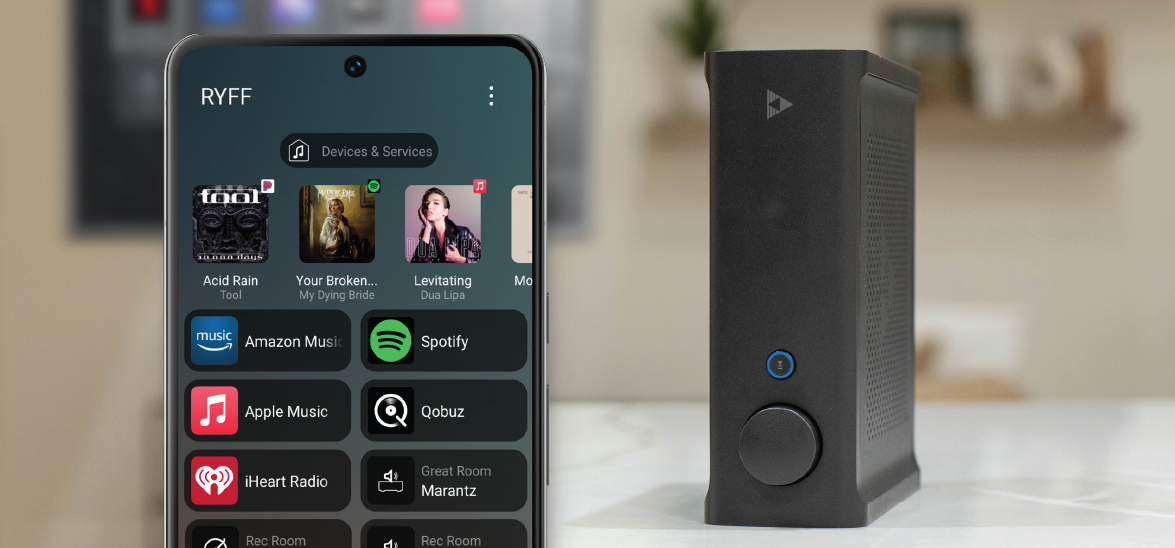
Ryff is the streaming audio platform that powers the Control4 Listen Experience providing the highest quality streaming audio, decoding up to a 192 kHz sample rate at full 24-bit depth. The new Ryff app delivers a similar experience to the Control4 Listen Experience and makes it available to even more customers, allowing them to play audio from some of the most popular streaming services.
Nothing, the Ryff platform you know and love today will continue to power the Listen Experience available within all Control4 projects. Additionally, the Ryff platform can now be used natively with the new Ryff app (for iOS or Android) on Ryff-enabled devices such as the Triad SA1, allowing you to give the optimal listening experience to more customers. Since the Ryff app has a similar interface as the Control4 Listen Experience, it will be easier for customers to upgrade into a full Control4 system later, if they wish, without the need to replace all their Ryff-enabled devices.
The Ryff platform is used to power the Control4 Listen Experience. There are no changes to the Ryff streaming experience in Control4 with the launch of the new Ryff app.
For smaller projects that only require audio streaming, you can now use the Ryff platform natively with the new Ryff app and the Ryff-enabled Triad SA1. The Ryff platform is available to set up and configure through OvrC.
The Ryff app is available on iOS and Android devices and features similar functionality to the Control4 Listen Experience. The Ryff app can access a broad selection of music by integrating with popular streaming services including Apple Music®, Pandora™, Spotify®, TIDAL®, and more.
Yes, Ryff can be used with multiple grouped Triad SA-1 streaming amplifiers for a seamless multiroom audio experience. This type of installation can support up to 10 zones of streaming audio, one per Triad SA-1 unit.
The Ryff app is exclusively used with the Triad SA1 (TS-SA1-200). Additional products will leverage the Ryff app capability in the future.
While the new Ryff app is great for smaller, audio-only projects, upgrading to a Control4 system brings additional control experiences such as lighting, video, comfort, security, and surveillance into a seamless, award-winning app. To upgrade any Ryff project to a robust, whole-space control experience, simply create a new customer account in OvrC, add a Control4 controller, and use your existing Ryff-enabled devices to deliver the Control4 Listen experience.
No, the Ryff platform is not compatible with Composer Pro or Express. All setup, configuration, and troubleshooting are done using OvrC.
No, audio-only Ryff systems can only be controlled with the Ryff app. Control4 systems, even if they leverage Ryff streaming, are still controlled by Control4 interfaces.
No, ADI remains committed to keeping Control4 products only available to the Control4 Authorized Dealers.
ADI’s tech support team are available to support the Ryff platform just like any other product sold through ADI.com, SnapAV.com, or any of the local stores.