Lux status & backlight LED programming
In Lux devices, when a "Set LED Current" or "Set All LED Current" programming command is used to turn on status or backlight LEDs, they remain in that state permanently. This overrides other LED state commands such as Push/Release, Follow Connection, or Load control.
To clear it from that state, you must execute a "Clear LED Current" or "Clear All LED Current" programming command.
In previous-generation Control4 lighting devices, the "Set LED Current" or "Set All LED Current" state is temporary and will change when it receives the configured button-press command (Push/Release, Follow Connection, or Load control).
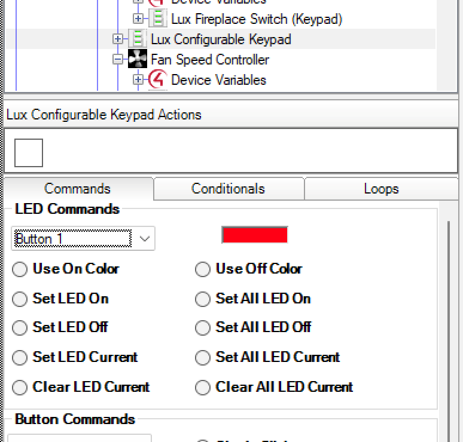
LED Status Priority
Faults > provisioning/identification > programmed behavior > load control > push/release.
Device Actions
-
Enable/Disable Backlight LEDs
-
Enable/Disable Status LEDs