3 Routines
Routines in X4 are pre-canned, simple-setup automations designed to streamline and simplify daily tasks, enhancing the smart home experience. End users can select routines from the Routine Gallery and easily add or modify them within their project to automate their system.
3.1.1 Routine Timeline
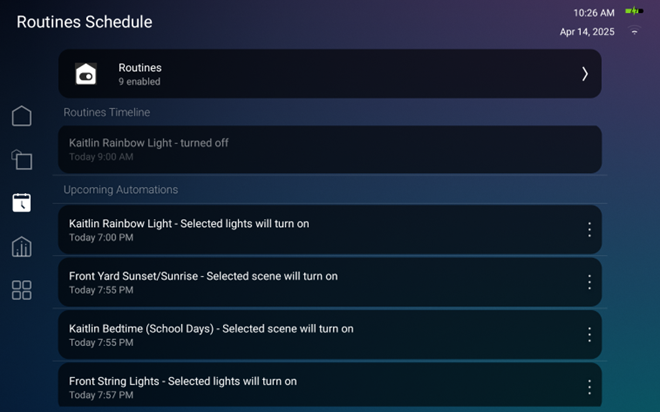
The routine timeline gives both the customer and the dealer a way to view past and upcoming routines. The customer has the option to run them immediately once or skip once by clicking the three dots to the side of the Upcoming Automations.
3.1.2 Routine Gallery
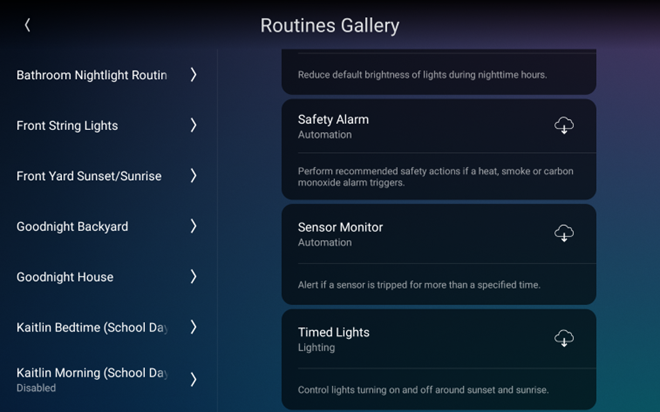
The Routine Gallery gives the customer a list of available routines they can add to their project. This list will only show routines that they can use based on the devices in their project.
Note: -__. The list of routines will continue to expand significantly, with more routines being added over time.
3.1.3 Routine Agent and Composer Pro
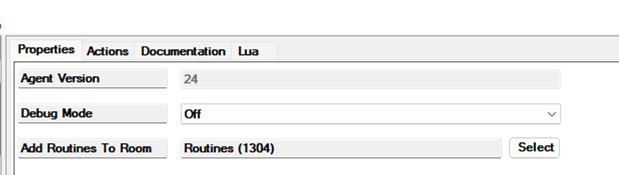
The Routine Agent is a required agent for X4 (OS 4.0 and newer). A reboot will automatically add it back. The agent will create a room named Routines for displaying routines in the project tree. A dealer can change this to their preferred room and delete the Routines room if no longer needed.