DS3 Factory Reset
Locate the Control button among the main unit's connectors, see image below.
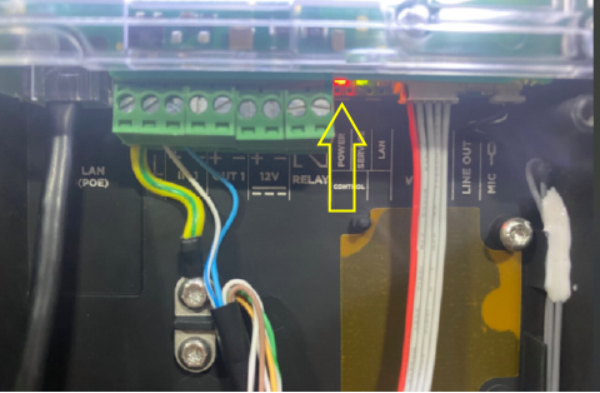
1. Disconnect the device from the power supply.
2. While holding the Control button down, connect the device to the power supply.
3. Keep holding the button for a few more seconds before releasing.
Caution: If powered from an external power supply using terminals, the device will be reset to the factory settings only if it is also disconnected from the LAN.
Caution: In case the factory default values are reset on the device with a firmware version 2.18 or higher, it is necessary to reprogram the 2N Security Relay using the instructions given in Security Relay.