Wi-Fi channel optimization
The goal is to place the APs on channels as far apart from each other as possible. Manually placing each AP on a channel makes sure the APs placed in the system aren’t interfering with each other.
Perform a Site Survey to see what channel the APs are broadcasting on. Most APs have an auto-channel feature that looks for the least-congested radio channel in the area on startup, but it is not perfect. The AP checks the channels only at time of startup, so if there are multiple APs on site, the channels can quickly change. Also, other devices on site may not currently be turned on and broadcasting their RF signals. Read How to perform a Site Survey for more information.
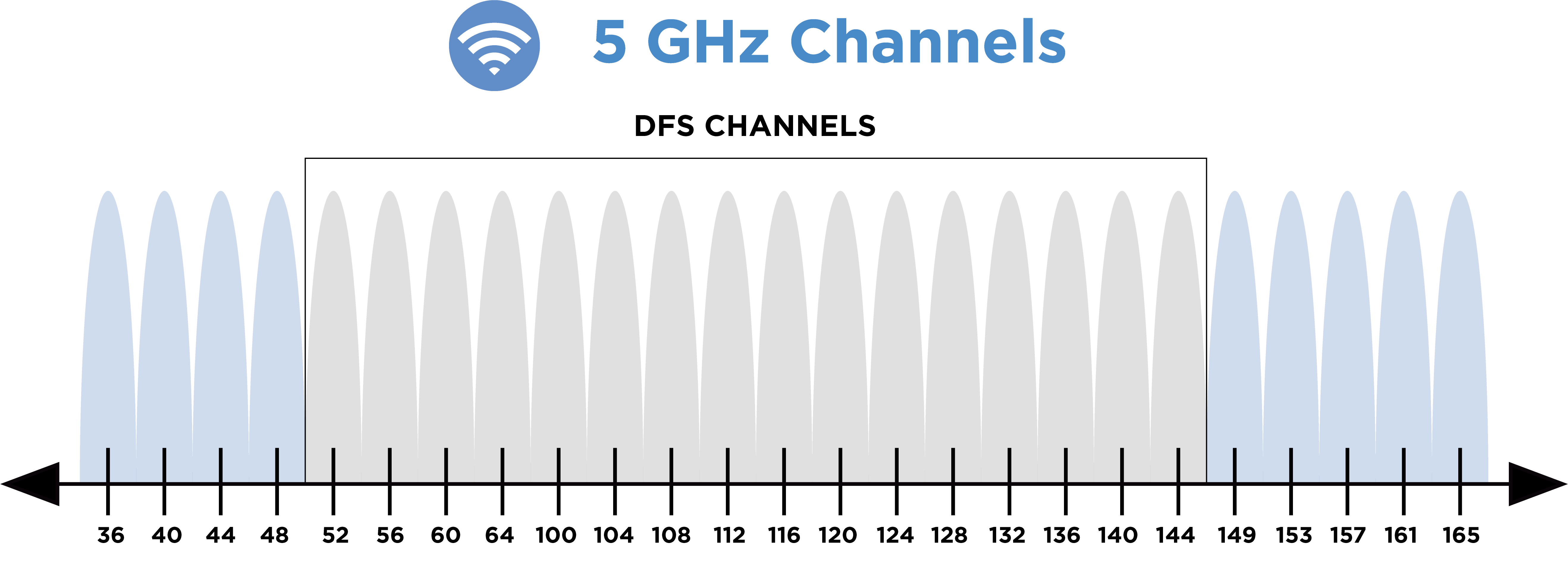
Example: In a two-AP system, place one AP on channel 36 on the 5 GHz band, and the other on channel 165. Remember to use site survey tools, such as a spectrum analyzer, to see if the channels you’re placing the AP on aren’t already congested with interference from a neighbor’s AP or other devices in the environment.
General guidelines for channel selection
5GHz band
-
Use non-DFS channels (36-48 and 149-165).
-
When using one or two APs, a channel width of 80 MHz can be used, if your site survey does not show a congested 5 GHz band.
-
If using three or more APs, a channel width of 40 MHz is recommended. This has less throughput potential but creates a 5 GHz network that isn’t as susceptible to interference.
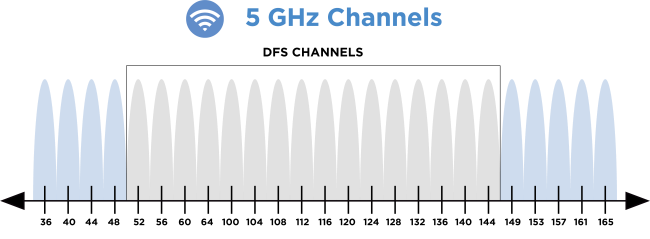
Note: DFS channels are reserved for government radar systems, and not all devices are able to connect to them. If you use a DFS channel for your AP, it can be booted to another channel, interfering with the customer’s Wi-Fi system.
2.4GHz band
-
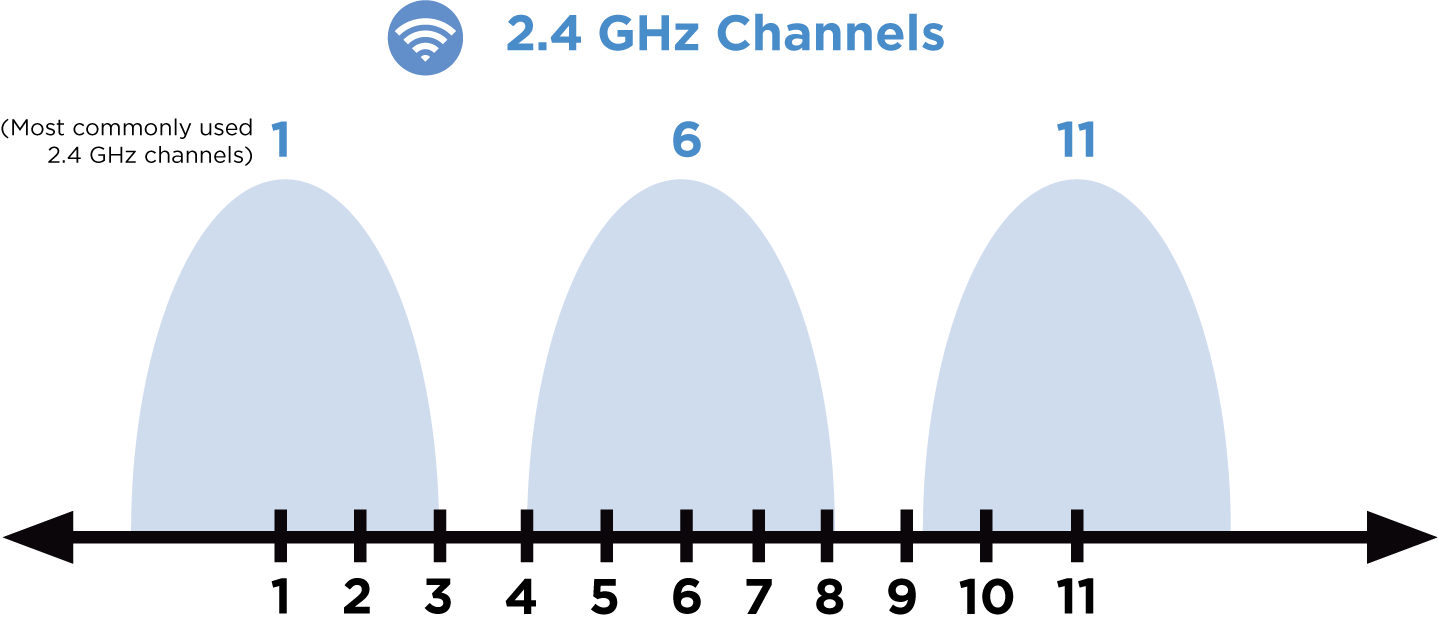
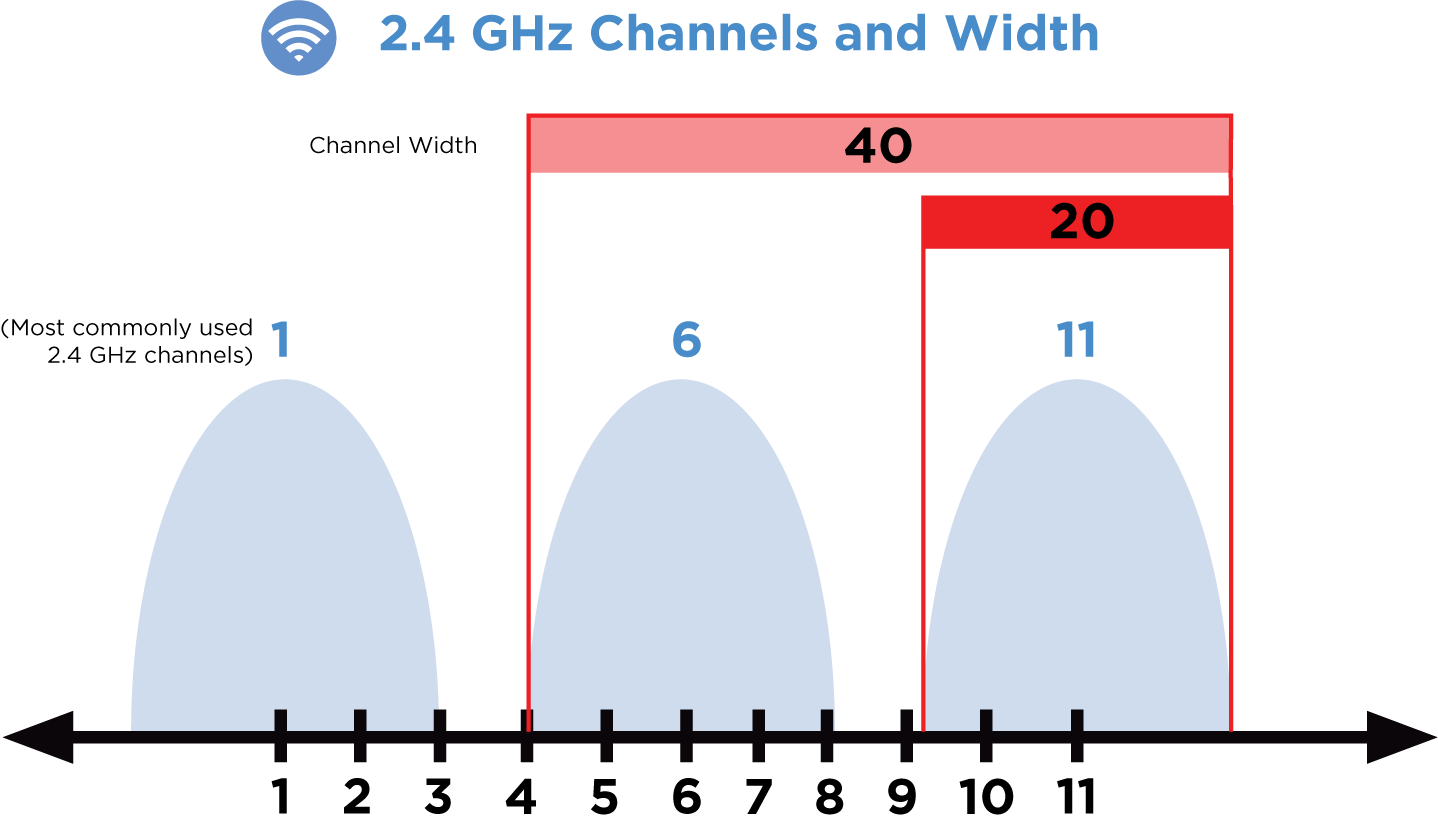
Use channels 1, 6, and 11.
-
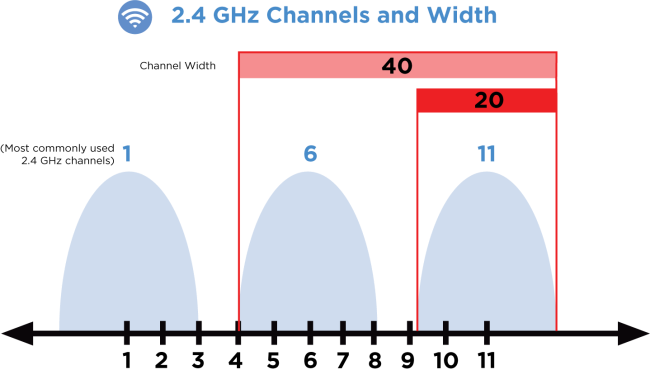
Do not use a channel width of 40 MHz.
-
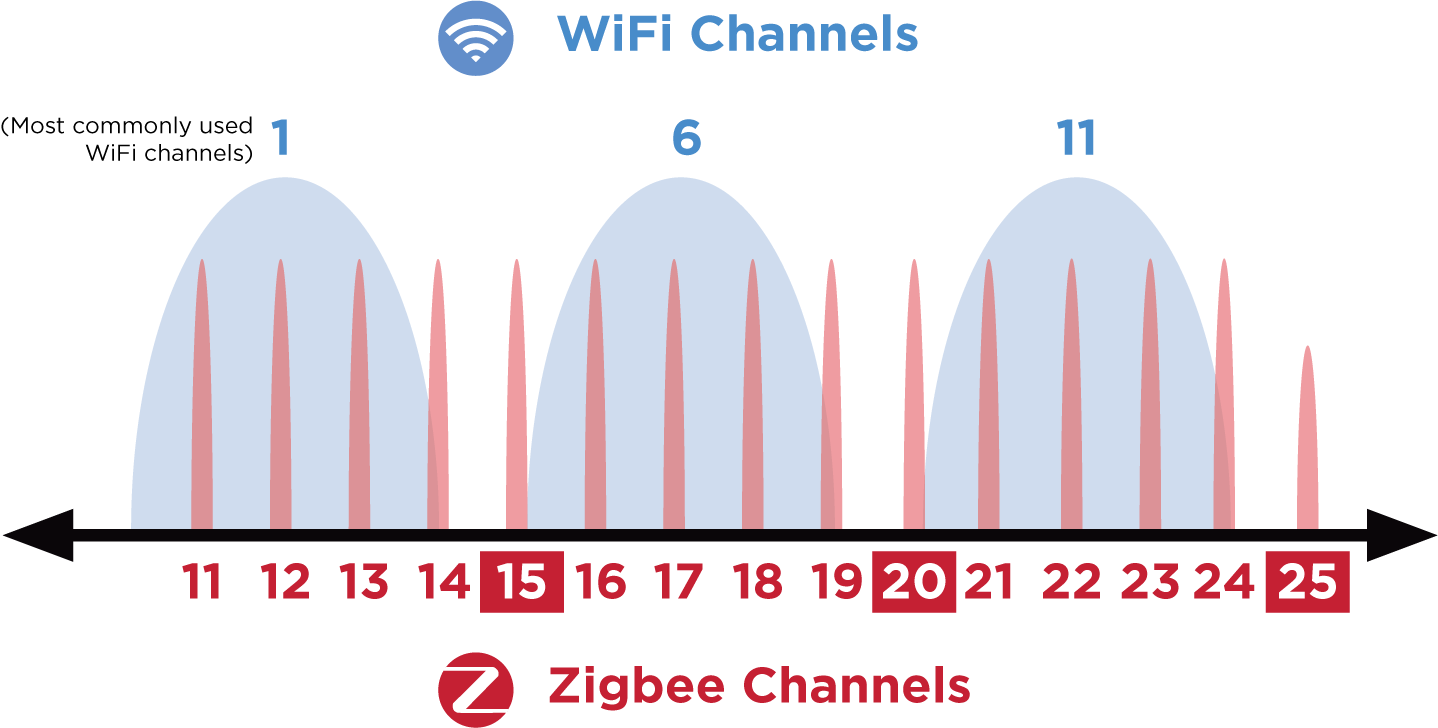
A Wi-Fi router or access point co-located with a mesh controller can overpower all Zigbee communication to that controller, even if the channels are not overlapping. Always move the AP at least 5 meters (15 feet) away from the mesh controller.
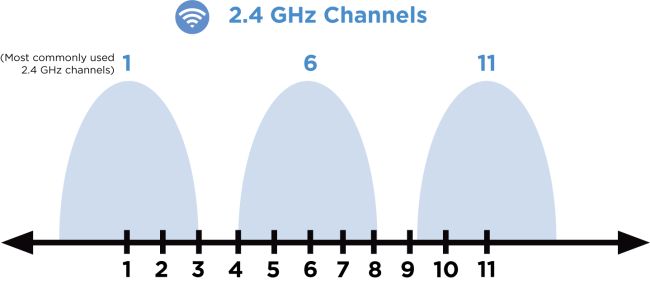
The 2.4 GHz band allows the use of channels 1-11, but Wi-Fi is typically constrained to channels 1, 6, and 11. These channels are chosen because they allow the most amount of separation from each other. While you could use channels 2 and 9 in a two-AP system, odds are you’re going to cause massive amounts of interference with the neighbors, and vice versa.
Working around Zigbee channels
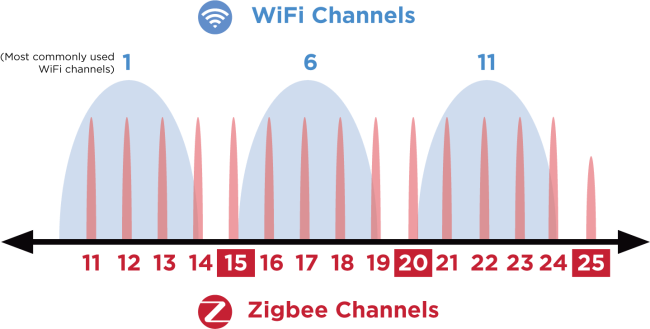
The Zigbee standard defines 15 channels, all within the 2.4 GHz radio band. Because Wi-Fi shares this band with Zigbee and can easily interfere with it, you must plan Zigbee channels to work alongside Wi-Fi channels without interference. Zigbee channels are numbered 11-25, but they overlap many of the same frequencies as Wi-Fi channels 1-11. Zigbee channels are narrow (2 MHz wide), while Wi-Fi channels are wide (22 MHz), so a single Wi-Fi channel can interfere with multiple Zigbee channels.
Channel width
Increasing channel width decreases the number of available channels by combining them. This increases potential throughput, but also increases the likelihood of interference.
As you can see by the below image, using anything more than 20 MHz on a 2.4 GHz band greatly increases the risk for interference and is strongly discouraged.
5 GHz has many more channels available, allowing the possibility of widening the channel. It’s not recommended to go above 80 MHz, because it interferes with DFS channels. Going below 40 MHz decreases the potential throughput.
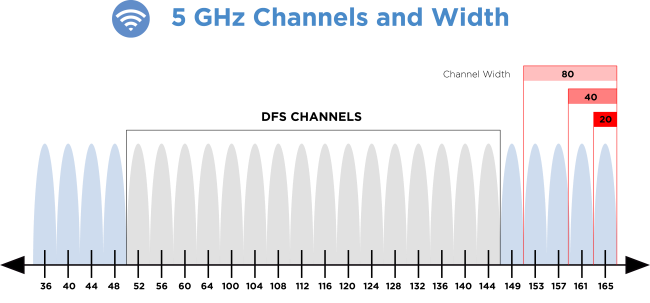
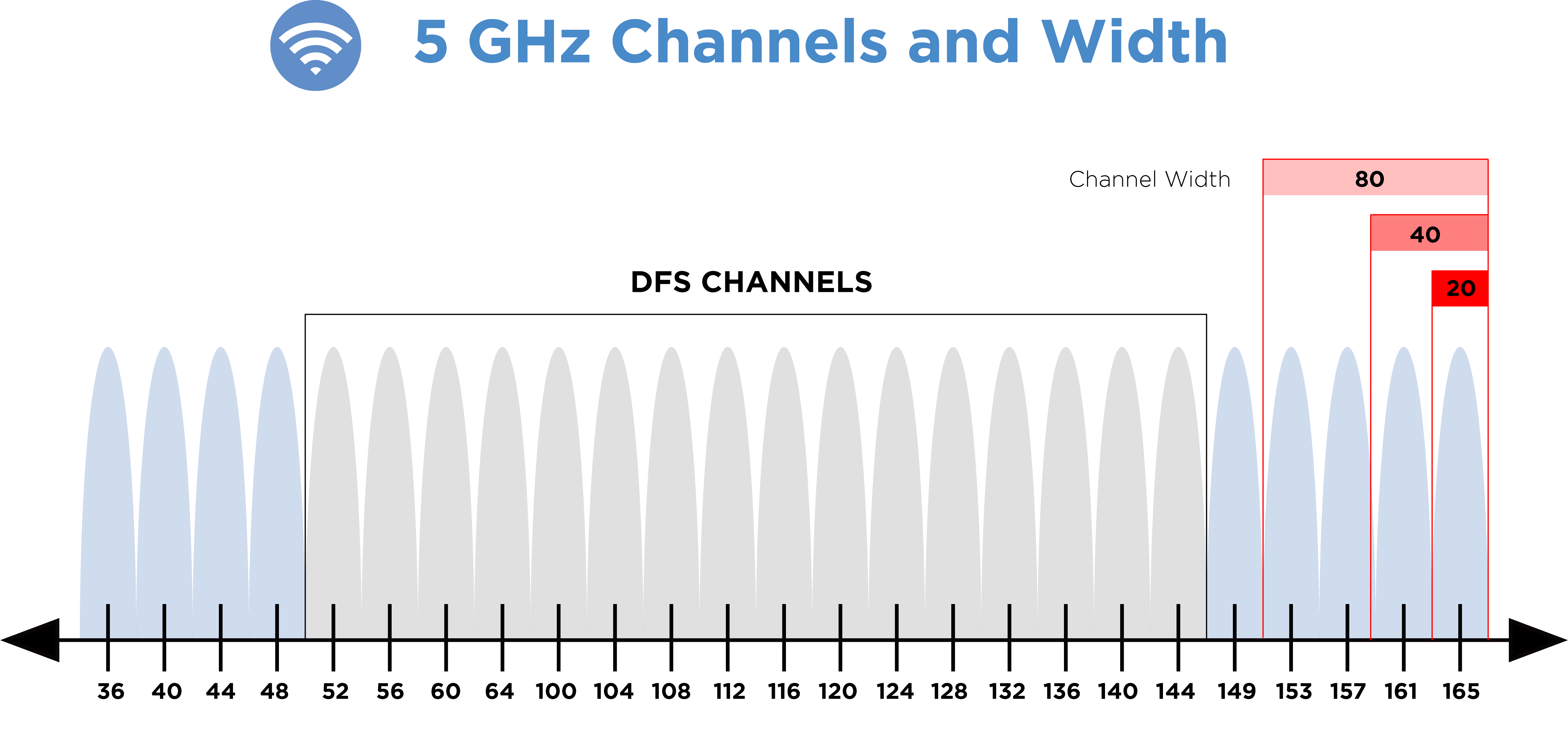
Our recommendation is to use 80 MHz if the system has two APs, and 40 MHz if using three or more. There are exceptions, but it’s best to use proper site survey tools before using three or more APs with 80 MHz channels. This increases the risk of the APs interfering with each other or getting interference from other devices in the environment.